You have seen the ads everywhere. "Protect your privacy with a VPN." "Browse the internet safely." "Unlock blocked websites." YouTube videos, podcasts, and tech websites are all sponsored by VPN companies.
But what does a VPN actually do? Is it really necessary? And is it worth paying for one? The truth is, VPNs are useful — but not for the reasons most people think. They are also oversold as a magic privacy solution when they are not.
In this beginner-friendly guide, we will explain what a VPN is, how it works, what it protects you from, what it does not, and when you actually need one — all in plain English.
VPN stands for Virtual Private Network. That sounds complicated, so let's break it down:
In simple terms, a VPN is a service that routes your internet traffic through a server owned by the VPN company, encrypting it along the way. This hides your real IP address from the websites you visit and encrypts your data so no one between you and the VPN server can read it.
Think of it as sending your mail inside a locked, unmarked box — instead of a transparent envelope with your name and address on it.
Imagine you are driving from your house to a store in a busy city. Every traffic camera, toll booth, and bystander can see your car, your license plate, and where you are going.
That is how normal internet traffic works. Your Internet Service Provider (ISP), your mobile network, and any Wi-Fi owner can see which websites you visit and, in some cases, what you do there.
Now imagine that instead of driving on public roads, you enter a private tunnelthat goes directly from your house to the store. No one outside the tunnel can see your car or know where you are going. The tunnel entrance and exit are the only visible points.
That is exactly what a VPN does. It creates a private tunnel between your device and the VPN server. Anyone watching your traffic — your ISP, a hacker on public Wi-Fi, a nosy neighbor — only sees encrypted data going to the VPN server. They cannot see the actual websites you visit or the data you send.
Here is the process in five simple steps.
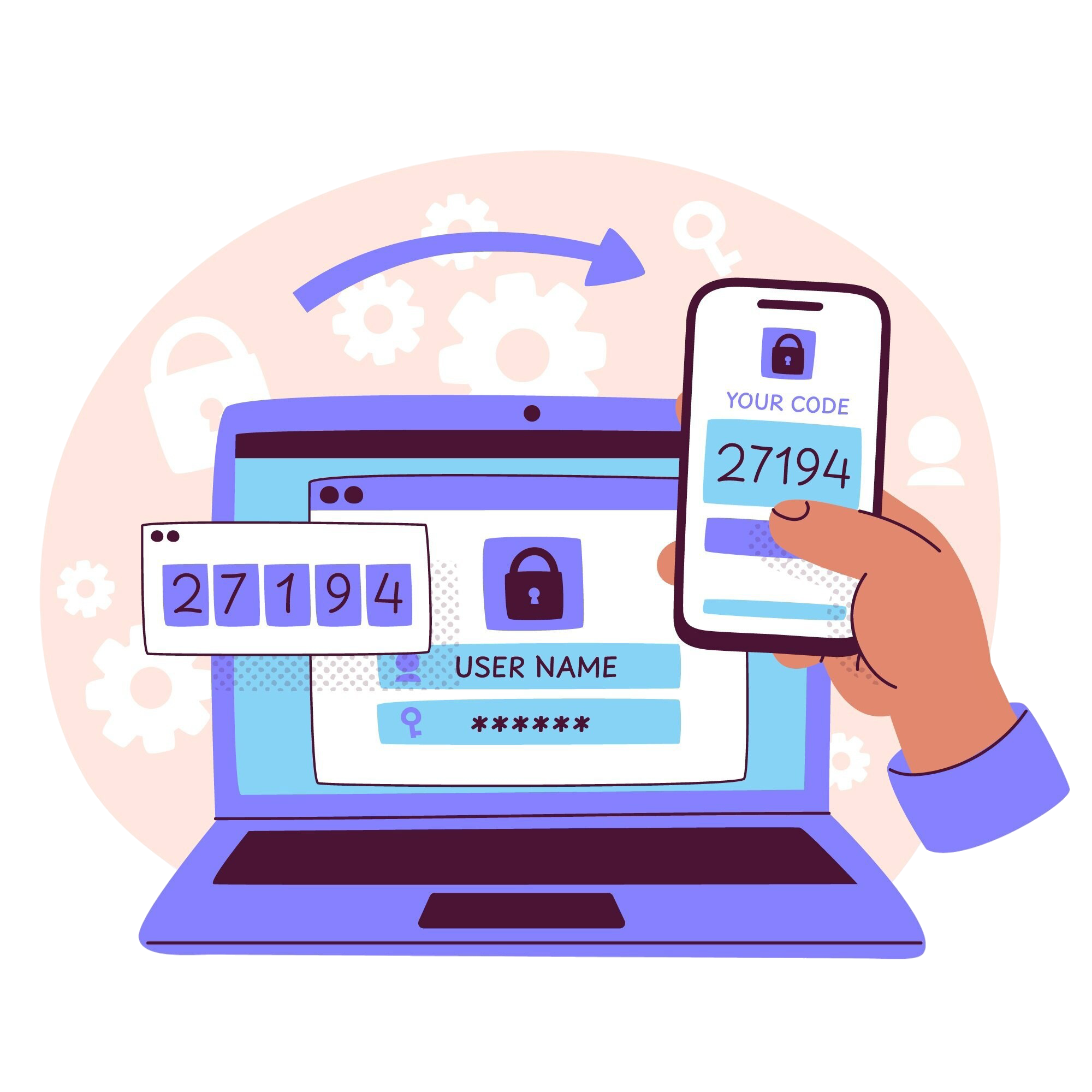
You open the VPN app on your device and click "Connect." The app establishes a secure, encrypted connection to one of the VPN provider's servers, located in a city you choose.
Before leaving your device, all your data is encrypted — scrambled into unreadable code. Even if someone intercepts it, all they see is gibberish.
Your encrypted data travels through the internet to the VPN server. Your ISP sees that you are connected to a VPN, but they cannot see what you are doing.
The VPN server decrypts your data, then sends it to the website you are visiting. But here is the clever part: the website sees the VPN server's IP address, not yours. Your real identity is hidden.
The website's response travels back to the VPN server, which encrypts it again and sends it back to you. Your device decrypts it, and you see the page — with no one in between able to read what was exchanged.
This entire process happens in milliseconds and is completely invisible to you.
VPNs are often marketed as complete privacy tools — but they only protect you in specific situations. Here is what they actually do.
Websites, advertisers, and even governments see the VPN's IP address instead of yours. This makes it hard to track your real location.
On coffee shop, airport, or hotel Wi-Fi, hackers can potentially intercept your data. A VPN encrypts it, making it useless to them.
Your ISP can see every website you visit without a VPN. With one, all they see is encrypted traffic going to the VPN server.
Some content is blocked in certain countries. By connecting to a server in another country, you can appear to be browsing from there.
Because your IP address changes, some tracking companies have a harder time building a profile of your browsing history.
This is the part VPN ads never mention. VPNs are not magic shields.
| Threat | Does a VPN Help? |
|---|---|
| Hackers on public Wi-Fi | ✅ Yes, encryption helps |
| ISP tracking websites | ✅ Yes, hides your activity |
| Hiding your IP address | ✅ Yes |
| Stopping malware or viruses | ❌ No, use antivirus software |
| Protecting your Google/Facebook account | ❌ No, they know you when you log in |
| Preventing phishing attacks | ❌ No, use awareness and email filters |
| Hiding data from the VPN itself | ❌ No, you are trusting the VPN company |
| Protecting against law enforcement with a warrant | ❌ No, they can request logs |
In short: a VPN hides your IP address and encrypts your traffic. It does not make you anonymous, and it does not protect you from yourself.
These three tools are often confused. Here is how they differ.
| Tool | How It Works | Best For |
|---|---|---|
| VPN | Encrypts all traffic and routes it through a server | Everyday privacy, public Wi-Fi |
| Proxy | Routes traffic through a server but usually no encryption | Bypassing simple blocks |
| Tor | Routes traffic through multiple volunteer nodes | Maximum anonymity, slower |
For most people, a VPN is the right balance of speed, security, and simplicity. Tor is for journalists, activists, and people who truly need anonymity. Proxies are lightweight and useful for simple tasks.
Not everyone needs a VPN all the time. Here are the situations where it genuinely helps.
Coffee shops, airports, hotels, and libraries are hotspots for attackers. A VPN encrypts your traffic so they cannot steal your passwords or data.
When you travel, some websites and services may be blocked or restricted. A VPN lets you connect back to your home country.
If you are using a network you do not fully trust — a friend's house, a shared office, a hotel — a VPN adds a layer of protection.
If you do not want your ISP logging every site you visit, a VPN is the simplest solution.
Many companies provide VPNs so employees can securely access internal systems from home.
Not all VPNs are the same. Some are fast and trustworthy; others are scams that sell your data. Here is what to look for.
Let's see how a VPN helps in a common scenario.
| Step | What Happens |
|---|---|
| 1. Public Wi-Fi | You connect to free Wi-Fi at an airport |
| 2. Without VPN | A hacker on the same network intercepts your login details |
| 3. With VPN | Your traffic is encrypted end-to-end. The hacker only sees gibberish |
| 4. Result | Your passwords and data remain safe |
This is the most practical use case for most people. If you ever use public Wi-Fi, a VPN is worth having.
VPNs are useful — just not in the magical way they are advertised. Understanding what they actually do — and what they do not — helps you use them wisely, avoid scams, and make smart choices about your online privacy.